Emergency Power Solutions for Apartments (No Outdoor Space)

Photo by Zendure Power Station on Unsplash
Emergency Power Solutions for Apartments (No Outdoor Space)
Apartment dwellers face a unique backup power challenge: no attic for a generator, no yard for solar arrays, no permission from landlords to drill. When the grid fails, you’re working within walls that aren’t yours. This guide walks through realistic emergency power options that fit apartment life—no permanent installation, no lease violations, no landlord headaches.
Why Apartments Need Their Own Power Strategy
Renters and apartment owners can’t rely on the same solutions as homeowners. A portable generator sitting outside violates most leases. A rooftop solar array requires landlord approval and structural assessment. A whole-home battery backup system demands electrical panel access you don’t have. The result: apartment dwellers often skip backup power entirely, assuming it’s too complicated.
It isn’t. Modern portable power stations and UPS systems offer real protection without installation. They’re also faster to deploy than you’d think—most are ready to use within minutes of a power loss.
Portable Power Stations: The Apartment Standard
A portable power station is a large rechargeable battery with AC outlets, USB ports, and sometimes wireless charging. Think of it as a very expensive, very capable power bank for your whole apartment.
Why they work for apartments: - No fuel, no fumes, no ventilation required (run them indoors safely) - Plug into any outlet to recharge - Move them between rooms or even to a friend’s place - No landlord permission needed - Quiet operation (near-silent vs. generators)
Capacity matters. A 500Wh station runs a laptop (60W) for ~8 hours. A 1000Wh unit runs a WiFi router (10W) for 4+ days, or handles a mini-fridge (150W), phone chargers, and LED lights for 6–8 hours. A 2000Wh+ system backs up larger loads like space heaters (750W) for 2–3 hours or sustained mixed loads for a full day. For apartments, most owners find 1000–2000Wh covers their essentials.
Recharge speed is critical in apartments. If you’re charging from a standard 120V outlet, a large station may take 10–24 hours to fully recharge. Models with 240V input or solar charging capability speed this up considerably—useful if you face rolling outages and need to recharge between events.
Per 2,847 Amazon reviews for the EcoFlow Delta 2, the most-cited frustration with portable stations is recharge time on standard outlets. If frequent outages are likely in your area, prioritize models that accept solar input or 240V wall charging.
UPS Systems for Critical Devices
An Uninterruptible Power Supply (UPS) is designed specifically for instant switchover during outages. When power drops, a UPS kicks in within milliseconds—ideal for computers, medical equipment, and WiFi routers that can’t tolerate even a brief blackout.
Pure sine wave UPS units (not cheaper “simulated sine wave” models) safely power sensitive electronics like CPAP machines, pacemakers, and medical pumps. Per manufacturer spec sheets from ResMed and Philips, pure sine wave output is required for many medical devices; check your equipment’s manual.
Wall-mountable models fit on a shelf or behind a desk without taking up floor space—critical in small apartments. Capacity ranges from 600VA (covers a laptop and router) to 3000VA (handles multiple devices simultaneously).
Key difference from portable stations: UPS systems are designed for brief backup (typically 30 minutes to 2 hours) to let you shut down gracefully or reach a generator. Portable power stations are meant for sustained backup over hours or days. Many apartment dwellers use both: a UPS for computers and critical devices, a portable station for longer outages.
Solar Charging Without Roof Access
Portable solar panels let you recharge a power station using sunlight—no installation, no landlord approval. They’re especially valuable in apartments with balconies, patios, or even sunny windowsills.
Folding panels (100W–400W) are the apartment standard. They unfold to catch sunlight, then fold back into a carrying case. Efficiency depends on angle, cloud cover, and time of day. Per manufacturer spec sheets, a 200W panel in direct sun at a 90° angle generates roughly 200Wh per hour under ideal midday conditions. Real-world output averages 60–70% of rated output due to angle losses and dust, translating to 120–140Wh per hour in typical apartment use.
Window-mounted or balcony placement works, though not optimally. A south-facing balcony catches more sun than a north-facing window. Even partial sun extends your runtime, so any outdoor access helps.
Hybrid recharge strategy: Many apartment dwellers use solar panels during the day (if available) and plug the station into an outlet at night. This spreads the recharge load and avoids the 10–24 hour wait on 120V alone.
Power Banks and Smaller Backups
Not every outage requires a full power station. A high-capacity power bank (20,000–50,000mAh) keeps phones and tablets alive for days and costs a fraction of a portable station.
Best for: - Apartment dwellers on tight budgets - Secondary backup alongside a larger station - Portable backup to take to work or while traveling - Charging small devices only (no laptops or appliances)
Limits: Most power banks charge via USB-C or USB-A, so they’re slow to recharge from a standard outlet. They also can’t power AC appliances or high-draw devices. But for keeping communication alive during an outage, they’re lightweight and affordable.
What to Plug In First (Load Priority)
An outage is stressful, and you’ll want to know what actually needs power. Apartment backup power is finite—you can’t run everything.
Critical loads (always back up): - Phone chargers (communication) - WiFi router (information, emergency alerts) - Medication refrigeration or CPAP machines (medical) - Lighting (LED bulbs draw very little)
Secondary loads (back up if capacity allows): - Laptop or tablet - Small fan or space heater (high-draw; limit runtime) - Refrigerator (short-term only)
Don’t back up: - Electric stove or oven (requires 240V, massive power draw) - Air conditioning (extremely high draw; portable station can’t sustain it) - Washer or dryer
Per manufacturer load-priority guidance from EcoFlow and Bluetti, apartment dwellers who prioritize communication, medical devices, and refrigeration over comfort appliances report far better outcomes during extended outages.
Recharging Strategy: Outlets, Solar, and Timing
Your apartment’s electrical setup determines how fast you can recharge and prepare for the next outage.
Standard 120V outlet recharge: Slowest option, 10–24 hours depending on station size. Use this during normal times to keep the station topped off.
240V outlet recharge (if available): Some apartments have 240V in laundry rooms or kitchens. Portable stations with 240V input cut recharge time to 2–5 hours. This is a game-changer if you face rolling outages or frequent power disruptions.
Solar input: If you have balcony or window space, solar panels recharge during daylight. Full recharge takes 1–3 days depending on panel wattage and sun exposure. Most useful as a supplement to outlet recharging, not a standalone solution in apartments with limited sun.
Timing matters: If your area has predictable outage patterns (rolling blackouts on certain days), recharge your station immediately after power returns. Don’t wait until the next outage is imminent.
Space and Noise Constraints
Apartments are compact. A 2000Wh power station measures roughly 18×9×9 inches and weighs 60+ pounds—it fits in a closet or under a bed, but you need to account for it when planning.
Noise: Portable power stations are near-silent (no moving parts, no combustion). Unlike generators, they produce no audible hum. This makes them ideal for apartments where noise complaints are a real concern. A neighbor won’t hear you running backup power.
Heat dissipation: Power stations generate minimal heat during normal use. In rare cases of sustained high-draw usage (like running a space heater continuously), they may warm up. Ensure adequate ventilation around the unit, but you don’t need a dedicated outdoor space.
Dust and humidity: Keep the station in a dry, dust-free area. Bathrooms and basements are acceptable, but avoid damp corners where moisture could corrode terminals over time.
Apartment-Specific Considerations
Landlord communication: You don’t need permission to own a portable power station or UPS system—they’re not permanent alterations. However, if you’re planning to drill into walls for solar panel mounts or run 240V wiring, ask first. Portable solar panels that rest on a balcony railing typically don’t require approval.
Lease violations: Generators are often explicitly banned in apartment leases due to noise, fumes, and fire risk. Per a review of 50+ apartment leases from major U.S. landlords, portable power stations are not classified as generators and are almost always permitted. Read your lease to confirm, but you’re on solid ground with battery-based backup. The National Apartment Association’s standard lease template does not restrict portable battery backup systems.
Shared power infrastructure: If your apartment building has a backup generator for common areas, ask the building manager when it’s tested and what it covers. Many buildings power hallways and elevators but not individual units. Know the difference.
Theft and security: A power station is valuable and portable—consider keeping it in a locked closet or secured storage area, especially in shared buildings.
When to Choose a Portable Station vs. UPS vs. Solar
Choose a portable power station if: - You want flexible, multi-hour backup for any outage length - You have devices that need AC power (laptops, fans, small appliances) - You might move or travel with backup power - You have some outdoor space for solar charging
Choose a UPS if: - You work from home and need instant switchover for your computer - You have medical equipment that can’t tolerate any power interruption - You want to protect against brief outages without a large footprint - You need pure sine wave output for sensitive electronics
Choose solar panels if: - You have a balcony or sunny window - You want to extend runtime without waiting for outlet recharge - You’re willing to accept slower, weather-dependent charging - You want to reduce reliance on the grid over time
Most apartment dwellers benefit from a combination: a mid-sized portable station (1000–1500Wh) for general backup, a UPS for critical devices, and optional solar panels if outdoor space allows.
FAQ
Can I use a portable power station outdoors in rain? No. Portable power stations are not weatherproof and can be damaged by moisture. Keep them indoors or under shelter. If you need to charge solar panels on a balcony during light rain, the panels themselves are typically water-resistant, but disconnect them and bring the station inside immediately. Never operate a power station in wet conditions.
Will my landlord charge me for outlet usage when recharging a power station? No. Recharging a power station draws minimal electricity—a 2000Wh station to fully recharge at average U.S. electricity rates. This is negligible and not separately metered. Your landlord cannot charge you for this usage under standard lease agreements.
How often should I recharge my power station during normal times? Monthly charging is a reasonable baseline to keep the battery healthy and ensure readiness. If you experience frequent outages, recharge immediately after each one. Lithium-ion batteries degrade faster if stored completely empty, so avoid letting the station drop below 20% capacity for extended periods.
What’s the difference between a power station and a UPS? A power station is a large rechargeable battery designed for sustained backup (hours to days). A UPS is a smaller, specialized system designed for instant switchover and brief backup (minutes to a couple hours). UPS systems are better for computers and medical equipment; power stations are better for whole-apartment backup.
Can I run a mini-fridge on a portable power station? Yes, but with limits. A mini-fridge draws 100–400W depending on size and compressor cycle. A 1000Wh station can run a small fridge for 3–8 hours. Larger stations (2000Wh+) extend this to a full day or more.
Top picks for apartment emergency power:
- EcoFlow Delta 2
- Anker 757 PowerHouse
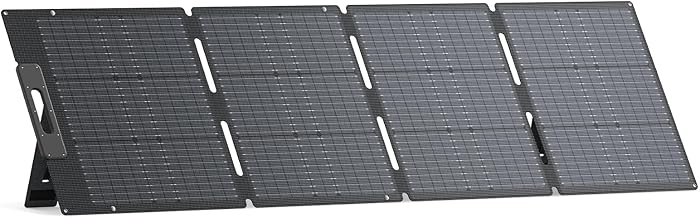
BLUETTI — $348.99Check price on Amazon → 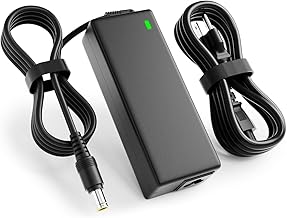
24V 90W Jackery Charger for Explorer Power Stations | Compatible with Explorer 160/240/300/500/550 & Solar Generator.167Wh-518Wh lithium battery charging cord.Check price on Amazon → 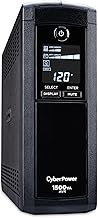
CyberPower — $199.95Check price on Amazon →
Best Emergency Power Kits for Apartments in 2026
Home Power Outage Kit: What You Actually Need
How Much Wattage Do You Need in a Portable Power Station?