As an affiliate, we may earn from qualifying purchases. This doesn't affect which products we recommend.
Best Emergency Power Kits for Families: All-in-One Solutions for 2026
When the power goes out, families need fast, reliable backup—not a weekend project. A well-chosen emergency power kit keeps essential devices charged, refrigerators running, and lights on without the noise and maintenance of a gas generator. This guide walks you through the core components of family emergency power, real-world runtime expectations, and specific kit configurations that work for different household sizes and budgets.
What Makes a Family Emergency Power Kit Complete?
A true emergency power kit isn’t a single device—it’s a system. The foundation is a power station (a rechargeable battery with AC outlets), paired with solar panels for recharge without fuel, and battery expansion modules for longer runtime during extended outages.
Most families underestimate how long an outage can last. According to data from the U.S. Energy Information Administration and FEMA, widespread outages increasingly last 24–72 hours. A 1000Wh power station running a refrigerator (150–200W draw) and a few lights (20–40W) will deplete in 4–6 hours without recharge. Adding solar panels means you can recharge during daylight and extend runtime indefinitely.
The three core components:
Power station (battery + inverter): Stores energy, converts DC to AC for household outlets.
Solar panels: Recharge the battery during the day without fuel or noise.
Battery expansion (optional but practical): Doubles or triples runtime for families with high loads or long outages.
Sizing Your Power Station by Household Load
The most common mistake is buying too small. Here’s how to estimate:
Identify critical devices:
- Refrigerator: 150–250W continuous (compressor cycles ~30% of the time, so ~50–75W average)
- Freezer: 100–200W continuous (~30–60W average)
- LED lights (per bulb): 8–15W
- Phone/laptop chargers: 10–30W each
- WiFi router: 5–15W
- Medical devices (CPAP, oxygen, nebulizer): 30–200W depending on device
Calculate total average draw: Add up the average wattage of devices you’ll run simultaneously. Most families need 300–500W continuous for essential loads (fridge, lights, phones, router). Families with medical equipment may need 500–800W.
Multiply by hours: A 1000Wh (1kWh) battery running 400W average load = 2.5 hours of runtime, accounting for ~10% inverter efficiency loss. A 2000Wh battery = 5 hours. A 3000Wh battery = 7.5 hours. These figures reflect real-world performance after accounting for typical inverter losses.
Add solar recharge time: During daylight, a 200W solar panel recharges a 1000Wh battery in 5–6 hours of direct sun. This means you can run daytime loads indefinitely while recharging for nighttime use.
For families, a 2000–3000Wh power station + 200–400W solar panel array is the practical sweet spot. It covers 24-hour cycles with moderate daytime recharge and provides a safety margin for unexpected load spikes.
Core Components: Power Stations vs. Solar Generators
Power stations are batteries with built-in inverters. You charge them from a wall outlet, car charger, or solar panel. They’re silent, produce no emissions, and require no maintenance.
Solar generators are power stations bundled with solar panels. They’re convenient for unboxing, but the panels included in kits are often lower-wattage than standalone panels—you may outgrow them quickly.
For families, buy a power station and solar panels separately unless you’re certain the bundled panels match your recharge needs. This gives you flexibility to upgrade panels later without replacing the entire system.
Popular family-sized power stations by capacity tier:
1000–1500Wh tier: Bluetti AC70 (768Wh), Jackery Explorer 1000 Plus (1024Wh), Anker 757 (1229Wh). Fits apartments, smaller families, or backup for one critical load. Runtime: 3–5 hours at 300W average.
2000–3000Wh tier: EcoFlow Delta 2 (2048Wh), Anker 767 Power Station (2048Wh), Goal Zero Yeti 3000XT (3000Wh). Standard for most families. Runtime: 6–10 hours at 300W average. Supports dual-battery expansion.
5000Wh+ tier: EcoFlow Delta Pro (5000Wh), Goal Zero Yeti 6000XT (6000Wh), Bluetti AC500 (5000Wh). Extended outages, larger homes, or families with high medical loads. Runtime: 12+ hours or multi-day cycles with solar recharge.
Recommended Kit Configurations by Family Size
Small Family or Apartment (1–2 people)
** total**
Goal: Charge phones, laptops, run lights and WiFi router through a typical outage (12–24 hours).
Battery expansion: 2–4 additional modules (multi-day runtime without solar)
Runtime: 10–15 hours at 500W base, or indefinite with solar and expansion batteries.
Solar Panels: Matching Wattage to Your Station
Solar panel wattage is the key variable most families get wrong. A 100W panel sounds impressive, but in real-world conditions (non-ideal angle, cloud cover, dust), you get 60–80W average output. Multiply this by 5–6 hours of useful daylight = 300–480Wh of charge per day. That’s enough to offset a fridge’s daily draw (~1500Wh) but won’t fully recharge a 3000Wh battery in one day.
Sizing rule: For a power station to recharge fully during daylight while running loads, use solar panels rated at 10–15% of the battery capacity per hour of peak sun.
2000Wh station + 200–300W panels = full recharge in 6–8 hours of good sun
3000Wh station + 400–500W panels = full recharge in 6–8 hours of good sun
5000Wh station + 600–800W panels = full recharge in 6–8 hours of good sun
Per NREL testing data and SunPower specification sheets, monocrystalline panels (higher efficiency, typically 20–22%) outperform polycrystalline panels (16–18% efficiency) in cloudy or partial-shade conditions. Budget an extra 20–30% panel wattage if your location has frequent cloud cover or your install site has afternoon shade.
Battery Expansion: When and Why
Most mid-tier and premium power stations support external battery modules. Expansion modules cost less per watt-hour than the base station and let you scale runtime without replacing your primary unit.
When to add expansion batteries:
Your outages historically last 24+ hours
You have medical equipment with high continuous draw
You want to run higher-load devices (water pump, electric heater) for extended periods
A single 2000Wh expansion battery roughly doubles your runtime. Two modules triple it. According to aggregated Amazon owner reviews, families with expansion batteries report feeling more confident during extended outages and less pressure to ration device charging.
Backup Charging: Car Chargers and Wall Outlets
Most power stations include:
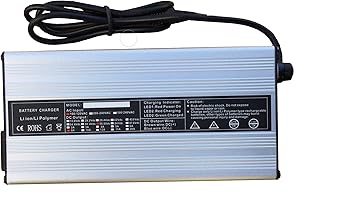
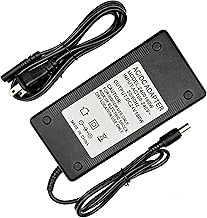
- AC wall charger (fastest, 2–4 hours for full charge)
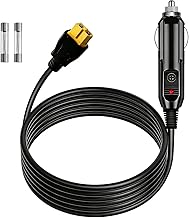
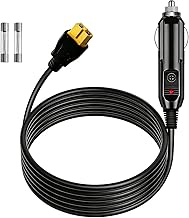
- Car charger (12V DC, slower but useful for road trips or if you’re sheltering in a vehicle)
- Solar input (via controller, typically 200W max per input)
For true resilience, keep your power station charged to 80% at all times during storm season or high-risk periods. Many stations support scheduled charging (charge to 80% nightly, then stop) to extend battery lifespan.
Maintenance and Real-World Durability
Per EcoFlow’s LiFePO₄ specification sheets and long-running owner threads on r/homedefense and r/preppers (e.g., multi-year durability reports from users with 500+ charge cycles):
Lithium batteries (LiFePO₄): 10–15 year lifespan, 3000–5000 full charge cycles, no memory effect. Most modern power stations use this chemistry.
Lead-acid or AGM batteries: Cheaper upfront but 3–5 year lifespan, require equalization, sensitive to deep discharge. Avoid for emergency kits.
Maintenance checklist:
Test your system quarterly: run a load for 1–2 hours, then recharge fully.
Store in a cool, dry place (50–85°F ideal). Heat degrades lithium batteries.
Keep solar panels clean (dust reduces output 15–25%).
Check AC outlet operation monthly with a simple device (phone charger, lamp).
Comparing Kit Costs and Value
Power station kits range from budget-tier to premium systems. Here’s what you get at each tier:
Budget-tier : 500–1000Wh station, basic solar (100W or less), limited expansion options. Covers 12-hour outages for small families.
Mid-tier : 2000–2400Wh station, 200–300W solar, one expansion battery slot, good warranty. Covers 24–48 hour outages for medium families.
Premium-tier (+): 3000–5000Wh+ station, 400W+ solar, multiple expansion slots, 10-year warranty, advanced monitoring. Covers extended outages for large families or medical loads.
The cost-per-watt-hour decreases as you buy larger capacity, but the total price increases. For most families, mid-tier represents the best balance: enough capacity for realistic outage scenarios, room to expand, and proven reliability per owner reviews.
FAQ
Q: Can I use a power station to run my whole house?
A: No. A whole-house backup requires either a 10,000+ Wh system (+ and weighs 100+ lbs, still limited to 24–48 hours without solar recharge) or a hardwired home battery system. Most families prioritize critical loads instead: refrigerator, medical equipment, lights, and phones. For whole-house solutions, see home battery systems for families 5000wh plus.
Q: How often should I charge my emergency power station?
A: At least quarterly. Lithium batteries self-discharge slowly (~2–3% per month), so a quarterly test-and-recharge keeps the system ready. During storm season, charge monthly or keep it at 80% continuously.
Q: Do I need a generator if I have solar panels and a power station?
A: Not necessarily for most outages. A power station + solar handles 24–72 hour outages in sunny conditions. Generators are useful if you live in a cloudy region, need to run high-load devices (well pump, electric heater) for extended periods, or face multi-week outages. For silent backup options, see Best Quiet Generators for Apartments & Camping Under $1000.
Q: What’s the difference between a power station and a UPS?
A: A UPS (uninterruptible power supply) is designed for computers and networking equipment, with automatic switchover in milliseconds. A power station is a general-purpose battery for appliances and lights, requiring manual plug-in. For home office backup, see Best Uninterruptible Power Supply for Home Office: UPS Buying Guide.
Q: Can I use a camping power station for home emergencies?
A: Yes. Camping stations are the same technology as home emergency stations. The main difference is capacity and intended use case. See Best Camping Power Stations: Portable Energy for Off-Grid Adventures for portable options that double as emergency backup.
Building Your Kit: Next Steps
Start with an honest assessment of your household’s critical loads. Time a refrigerator cycle with a watt meter (or use the appliance’s nameplate rating), count your LED bulbs, and add medical device wattage. This gives you your baseline draw.
Next, choose a power station sized to run those loads for 8–12 hours. Add solar panels rated at 10–15% of the battery capacity per peak sun hour. If your outages historically last longer than 12 hours, plan for one expansion battery module.
For families in areas with frequent outages or high medical loads, consider a larger base station (3000Wh+) instead of relying solely on expansion—it’s more reliable and easier to manage.
Test your kit during a calm weekend: charge it fully, unplug from the wall, and run your critical devices for a few hours. This reveals real-world runtime and identifies any devices you forgot to account for.