Best Uninterruptible Power Supply for Home Office in 2026
Best Uninterruptible Power Supply for Home Office in 2026
A home office UPS (uninterruptible power supply) sits between your wall outlet and your devices, instantly switching to battery power the moment the grid fails. Unlike a generator, it makes zero noise, needs no fuel, and boots in milliseconds—critical when you’re mid-Zoom call or saving a spreadsheet. The right UPS keeps your internet, computer, and phone charging going long enough to finish urgent tasks or ride out a brief outage without data loss.
This guide walks you through the specs that matter for home-office work: runtime under your actual workload, wattage capacity that matches your devices, form factor for tight spaces, and noise levels that won’t derail your workday.
What Makes a UPS Right for Home Office Work
A UPS isn’t a one-size-fits-all purchase. Home offices have three core constraints:
Runtime vs. workload. A 600VA UPS powering a laptop and monitor runs 15–20 minutes; the same UPS powering a full desktop tower, dual monitors, and printer might run only 5–8 minutes. You need to know what you’re plugging in and how long you need it to run. Most home-office outages last under 30 minutes, so 20–30 minutes of runtime covers 90% of real-world scenarios.
Wattage capacity. A UPS’s VA (volt-ampere) rating tells you its maximum load. A 600VA unit = roughly 360W of real power. Per IEEE standard, the conversion factor is approximately 0.6 (power factor for typical office equipment). Your laptop charger (60–100W), monitor (20–40W), and router (10–15W) total maybe 150W—well within a 600VA unit. A desktop tower with two monitors and external drives could push 400–500W, demanding a 1000VA+ UPS.
Noise and cooling. Smaller UPS units often run silent or near-silent. Larger units, especially under heavy load, kick on cooling fans that can be distracting during calls. If you’re on video conferencing frequently, fan noise matters.
Form factor and placement. A tower UPS sits on the floor; a compact unit fits under a desk. Rackmount units suit server closets. For a home office, compact or tower models are standard.
Battery Capacity and Runtime: How Long Will You Stay Online?
Runtime is the single most misunderstood UPS spec. The manufacturer’s rated runtime (e.g., “25 minutes at half load”) assumes you’re running at exactly 50% of the UPS’s capacity. Run a 600VA UPS at full load (360W), and runtime drops to 5–10 minutes. Run it at 100W, and you might get 60+ minutes.
Real-world math for home office: - Laptop (60W) + monitor (30W) + router (12W) = ~102W total. - A 600VA UPS (360W capacity) at 102W load = roughly 50–60 minutes of runtime, per APC Back-UPS 600VA spec sheet. - A 1000VA UPS (600W capacity) at the same 102W load = 80–120 minutes.
If your home office is mostly laptop work, a mid-range 600–800VA UPS covers most scenarios. If you run a desktop tower, add 200–300W to your load estimate and size up to 1000VA or higher.
Most home-office users find 20–40 minutes of runtime adequate—long enough to save work, shut down gracefully, or wait out a brief outage. Longer runtimes require larger batteries, which cost more and take up more space.
Wattage Capacity: Matching the UPS to Your Setup
UPS capacity is measured in VA (volt-amperes). To convert to watts (real power), multiply by approximately 0.6, per IEEE standard for power factor in office equipment: - 600VA ≈ 360W - 800VA ≈ 480W - 1000VA ≈ 600W - 1500VA ≈ 900W
For a minimal home office (laptop + monitor + router): - Total draw: ~100–150W - Recommended UPS: 600–800VA - Runtime: 30–60 minutes
For a full desktop setup (tower + dual monitors + external drives + printer): - Total draw: 400–600W - Recommended UPS: 1500VA–2000VA - Runtime: 20–40 minutes
For a high-end workstation (gaming/video editing tower + three monitors + peripherals): - Total draw: 600–900W - Recommended UPS: 2000VA–3000VA or larger - Runtime: 15–30 minutes
A simple way to estimate: add up the wattage of every device you’ll plug into the UPS during an outage. Most device power supplies list watts on the label. If you’re unsure, use these rough estimates: - Laptop: 60–100W - Desktop tower: 200–400W - Monitor (LED): 20–40W - Router/modem: 10–20W - Printer: 300–500W (peak, during printing) - External hard drive: 5–10W - Phone charger: 5–10W
Sum your typical outage load, then choose a UPS rated for at least 150% of that figure to avoid overloading.
Noise Levels and Cooling: Staying Quiet on Calls
UPS units are silent at idle. When the battery is supplying power (during an outage) or when the unit is working hard to recharge a depleted battery, cooling fans may kick in.
Smaller units (600–800VA) typically run silent or near-silent because their batteries don’t generate as much heat.
Larger units (1500VA+) may run fans, especially if they’re charging after an outage or if the room is warm. Fan noise ranges from barely perceptible (30 dB, like a whisper) to noticeable (40–50 dB, like an office conversation).
If you’re on frequent video calls, test a UPS in your space before committing. Some brands, like Eaton and CyberPower, design units with low-noise cooling. Older or budget models may be louder.
Pro tip: Position your UPS away from your microphone. Placing it under a desk or behind a monitor dampens fan noise during calls.
Key Features to Compare
LCD display vs. LED indicators. An LCD screen shows battery charge percentage, load, estimated runtime, and input/output voltage. Useful for diagnostics but adds cost. LED indicators (green = OK, amber = on battery, red = low charge) are simpler and sufficient for most users.
Automatic voltage regulation (AVR). Protects against brownouts (low voltage) and overvoltage spikes without draining the battery. All modern UPS units include this.
Surge protection. All UPS units include surge protection on outlets. Some offer coaxial protection for cable/satellite lines.
Hot-swap batteries. Premium models let you swap batteries without powering down the UPS. Useful for offices that need zero downtime, but overkill for home use.
Software monitoring. Some UPS units ship with USB cables and software that alerts you to power events, tracks battery health, and can shut down your PC gracefully if the battery runs low. Helpful if you’re away from your desk during an outage.
Expandable battery packs. A few models (like Vertiv) allow you to add external battery modules for longer runtime without replacing the entire unit. Good for offices that may grow.
Top Picks for Home Office UPS
For small desk setups (1–2 devices):
Compact, reliable, and affordable. The 600VA capacity handles a laptop, monitor, and router for 15–20 minutes. No LCD display, but LED indicators are clear. Per manufacturer spec sheet, it includes automatic voltage regulation and surge protection on all outlets. Users report consistent performance over 3–5 years with minimal maintenance.
For all-day remote work (4+ hours needed):
Mid-range capacity with an LCD display that shows battery percentage, load, and estimated runtime. The 1500VA capacity covers a full desktop workstation (tower + dual monitors) for 30–45 minutes at typical office load. Includes AVR and USB monitoring software. Cooling fans are audible under heavy load but not intrusive during normal operation.
For silent operation during calls:

Eaton’s 5S line is engineered for near-silent operation with advanced cooling. Per manufacturer specs, the unit runs fanless or with minimal fan activity during typical office loads. The 1500VA capacity covers most home-office setups. Slightly pricier than competitors, but the quiet operation is worth it if you’re on frequent video calls.
For budget-conscious setups:
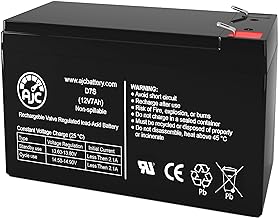
Entry-level pricing with solid performance. The 800VA capacity is a sweet spot between the 600VA (tight for larger setups) and 1000VA (overkill for minimal loads). Per aggregated owner reviews, users report good reliability and 20–30 minutes of runtime for typical laptop + monitor + router loads. No fancy features, but straightforward protection.
For future-proof scalability: Vertiv Liebert PSA5-2000MT120
Modular design allows you to add battery packs as your office grows. The 2000VA base unit covers high-end setups or gives you room to expand. Per manufacturer documentation, hot-swap battery capability and software monitoring are included. Premium pricing, but ideal if you’re building a future-proof home office or may add equipment later.
Sizing Your UPS: A Step-by-Step Approach
-
List your critical devices. Which devices absolutely must stay on during an outage? Laptop, monitor, router, phone charger? Desktop tower? External drives?
-
Find the wattage of each. Check the power supply label or the device manual. If unavailable, use the rough estimates above. Note: your actual devices may differ; check power labels on each device to avoid false precision.
-
Sum the total. Add them up. For example: 80W (laptop) + 35W (monitor) + 15W (router) = 130W.
-
Multiply by 1.5. Gives you a safety margin. 130W × 1.5 = 195W real power needed.
-
Convert to VA. Divide by 0.6. 195W ÷ 0.6 = 325VA. In practice, you’d choose a 600VA or 800VA unit for headroom.
-
Check the runtime. Once you’ve chosen a UPS, use the manufacturer’s runtime chart. Find your load (195W) and see how long the battery lasts. If it’s less than 20 minutes and you need longer, size up.
-
Account for future growth. If you might add a printer, external monitor, or other devices later, size up one notch.
Maintenance and Battery Health
UPS batteries degrade over time. Most home-office UPS units use sealed lead-acid (SLA) batteries rated for 3–5 years under normal conditions (one or two outages per year, ambient temperature 20–25°C).
To extend battery life: - Keep the UPS in a cool, dry place. Heat accelerates degradation. - Avoid frequent full discharges. Occasional test discharges (once or twice a year) are fine. - Ensure the UPS is plugged in and charging between outages. - Check the battery health indicator (if your UPS has one) annually.
Most UPS units alert you when the battery is nearing end-of-life. Replacement batteries are available from the manufacturer or third-party suppliers and cost 30–50% of the original UPS price. For premium units, it’s often cheaper to replace the battery than buy a new UPS.
Common Mistakes to Avoid
Underestimating wattage. Many users plug in their printer, forget about it, and then wonder why the UPS shuts down during an outage. Printers draw 300–500W during operation. If your UPS is already running a desktop tower and monitors, adding a printer might exceed capacity.
Ignoring runtime needs. A 600VA UPS running a 400W load gives you only 8–10 minutes of runtime. If your internet is down and you need to troubleshoot, that’s not enough time. Test your actual load and check the runtime chart before buying.
Placing the UPS in a hot room. Batteries hate heat. A UPS in a windowless closet with poor ventilation will degrade faster than one in a cool, open space.
Overloading the UPS. Plugging in more than the UPS is rated for causes it to beep, disconnect, or damage the battery. Always check your total load against the UPS capacity.
Forgetting about surge protection. A UPS protects against power loss, but a surge protector (or a UPS with surge outlets) protects against voltage spikes from lightning or power-line faults. Use both.
Complementary Backup Solutions
A UPS is ideal for short outages and graceful shutdowns, but if you need power for hours or days, consider pairing it with other solutions:
- Emergency Power Outage Supplies: Complete Shopping List for 2026 — A complete checklist for outage readiness, including UPS placement and testing.
- How to Choose a Backup Generator for Your Apartment in 2026 — For longer outages, a portable generator pairs well with a UPS for seamless transition.
FAQ
Q: How often should I test my UPS? A: Test your UPS 1–2 times per year by unplugging it from the wall outlet and running devices on battery for 5–10 minutes. This confirms the battery is functional and gives you confidence the unit will work during a real outage. Most UPS units have a test button or manual mode for this purpose.
Q: Can I use a power bank instead of a UPS? A: A power bank (like those for phones) is too small for a home office. A typical power bank holds 10,000–20,000 mAh, enough to charge a phone once. A laptop charger alone draws 60–100W; a power bank can’t sustain that. A UPS is purpose-built for this job.
Q: How long do UPS batteries last? A: Most sealed lead-acid batteries in home-office UPS units last 3–5 years under normal conditions (one or two outages per year, room temperature 20–25°C). Frequent discharges, high heat, or deep cycling shortens lifespan. Lithium-ion UPS units (premium models) last 7–10 years but cost significantly more.
Q: Can I use a UPS with a generator? A: Yes. A UPS paired with a generator is ideal for extended outages. The UPS bridges the gap while the generator starts (typically 5–10 seconds), then the generator takes over. Use the UPS to power critical devices (computer, router, modem) and the generator for larger loads (air conditioning, water heater). Ensure the generator’s output is stable before connecting the UPS to avoid damage.
Q: What’s the difference between a UPS and a surge protector? A: A surge protector absorbs voltage spikes but provides no backup power during outages. A UPS provides both surge protection and battery backup. For a home office, a UPS is superior because it keeps your devices running during power loss, not just protected from spikes.
Q: Do I need to replace the battery in my UPS? A: Yes, eventually. Most sealed lead-acid batteries last 3–5 years. When your UPS beeps during a test discharge or won’t hold a charge, the battery is failing. Replacement batteries depending on the UPS model and are available from the manufacturer or third-party suppliers. Replacing the battery is usually cheaper than buying a new UPS.