Best UPS for Home Office 2026 Buyers Guide
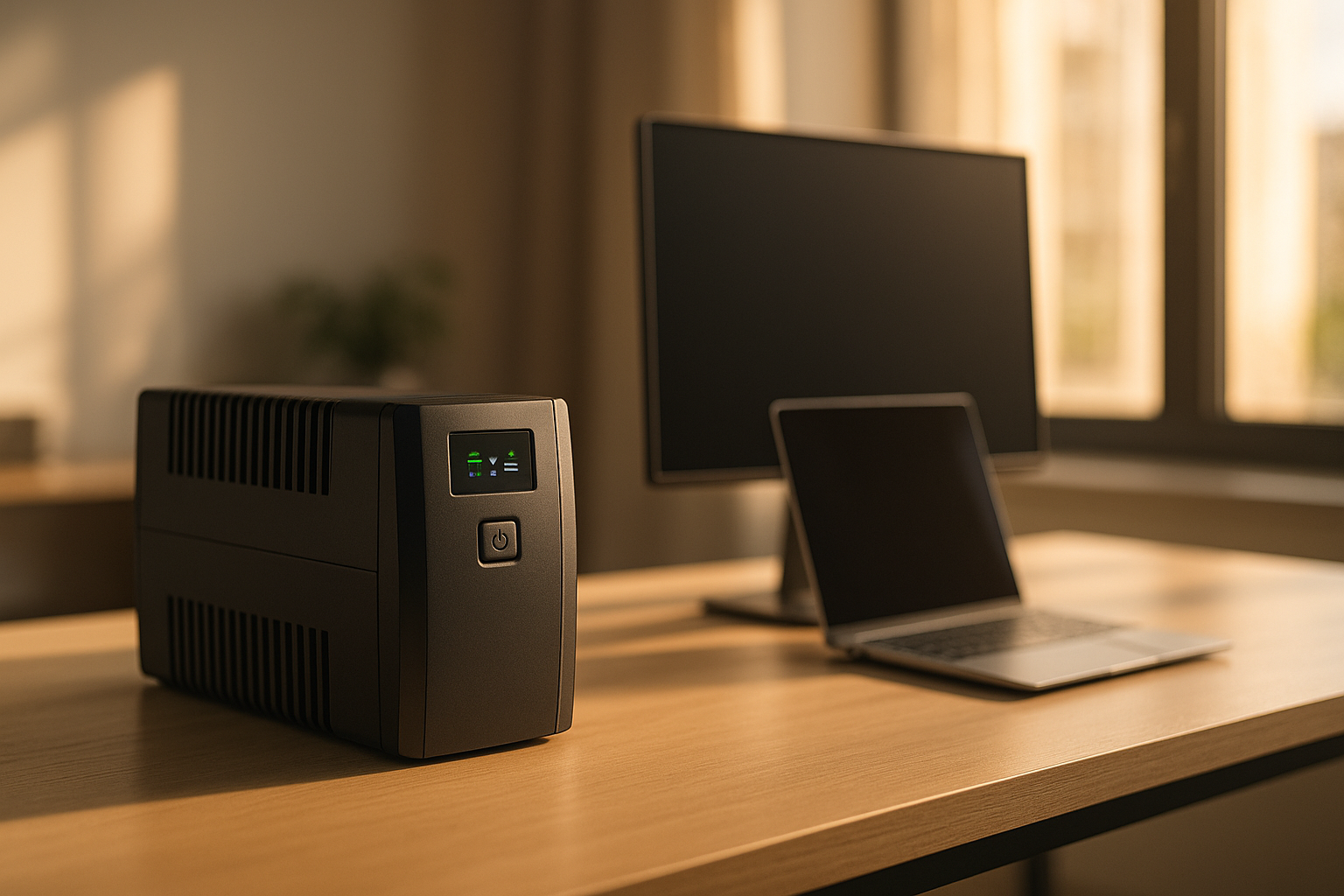
Best UPS for Home Office: Uninterruptible Power Supply Buyers Guide
A home office power outage doesn’t just kill your internet—it stops your work, risks unsaved files, and can corrupt data on active drives. An uninterruptible power supply (UPS) gives you seconds to minutes to save your work and shut down gracefully, or enough runtime to keep working through a brief outage entirely.
This guide covers what to look for in a home office UPS, how to size one for your actual workload, and which models work best for different setups.
What Is a UPS and Why Home Offices Need One
A UPS is a battery backup that sits between your wall outlet and your equipment. When power drops, it switches to battery power instantly—there’s no flicker, no delay. Unlike a portable power station (which you manually plug devices into), a traditional UPS keeps everything connected and running while you decide what to do next.
For home offices, this matters because:
- Unsaved work vanishes when your computer loses power mid-edit.
- Routers and modems drop, cutting your internet even if your laptop has battery.
- Network-attached storage (NAS) devices can corrupt if powered off unexpectedly.
- Monitors and peripherals stay on long enough to save files and shut down safely.
A UPS buys you time—typically 5 to 30 minutes, depending on the model and what’s plugged in. That’s usually enough to save your work and power down safely, or to ride out a brief outage altogether.
UPS Types: Traditional vs. Portable Power Stations
Two categories serve home offices, and they solve different problems.
Traditional UPS (Standby or Line-Interactive)
These are the black boxes you see under desks. They’re always plugged in, monitor wall power, and switch to battery instantly when the grid fails.
- Pros: Fast switchover (milliseconds), compact, affordable, designed specifically for computers and office equipment.
- Cons: Limited battery life (5–15 minutes of runtime on a typical setup), can’t be moved easily, battery replacement costs money after 3–5 years.
Best for: People who need instant protection and don’t expect long outages.
Portable Power Stations
These are larger, standalone batteries you can move around. You manually plug devices into them, and they run on battery power until depleted.
- Pros: Longer runtime (hours, not minutes), portable, expandable with extra batteries, can charge from solar panels, work during extended outages.
- Cons: Slower “switchover” (you have to manually plug things in or use a power strip), bulkier, higher upfront cost, but better value if you want multi-room backup.
Best for: People who expect longer outages, want portability, or need to back up multiple rooms.
For most home offices, a traditional UPS is the right starting point—it’s purpose-built for the job and costs less. If you work in an area with frequent or long outages, or you want to back up your router, modem, and NAS simultaneously, a portable power station becomes more attractive.
Sizing Your UPS: Wattage and Runtime
Picking the wrong size wastes money or leaves you unprotected. Here’s how to think about it.
Calculate Your Load
List everything you want to keep running:
- Laptop: 50–100 watts (while working; less while sleeping)
- Desktop monitor: 30–60 watts each
- Router and modem: 10–20 watts combined
- Printer: 50–150 watts (but usually off)
- Desk lamp (LED): 10–15 watts
- USB hub or dock: 5–15 watts
Example office: laptop (75W) + monitor (40W) + router/modem (15W) = 130 watts.
To convert this to VA (the rating you’ll see on UPS spec sheets), divide watts by a typical power factor of 0.6:
130W ÷ 0.6 = ~217 VA minimum
This means you’d need at least a 600 VA UPS (which provides ~360W of real capacity) to safely handle this load. Most home offices draw 100–300 watts during active work. Add a printer or secondary monitor, and you might hit 400 watts.
Choose a UPS Wattage (VA Rating)
UPS capacity is listed in VA (volt-amperes), not watts. A 1500 VA UPS can handle about 900 watts of real load; a 1000 VA handles about 600 watts. This assumes a 0.6 power factor typical of office equipment, which is why VA and watts don’t match directly. Look at the spec sheet for wattage capacity, not just VA.
- Under 150 watts of load → 600–800 VA UPS (~5–10 min runtime)
- 150–300 watts of load → 1000–1500 VA UPS (~10–15 min runtime)
- 300–500 watts of load → 1500–2000 VA UPS (~15–30 min runtime)
- 500+ watts or multi-room backup → Portable power station (hours of runtime, expandable)
Runtime Expectations
A traditional UPS with a typical home office load (150–250 watts) gives you:
- 5–10 minutes at budget tier (600 VA)
- 10–20 minutes at mid-tier (1500 VA)
- 20–30 minutes at premium tier (2000 VA)
That’s usually enough to save your work and shut down. If you want to keep working through an outage, you need a portable power station.
Key Features to Compare
Outlets and Outlet Types
- Battery-backed outlets (usually half the outlets on a traditional UPS): These stay on during an outage. Plug your computer, monitor, and router here.
- Surge-only outlets (the other half): These have surge protection but no battery backup. Use these for printers and peripherals you don’t need to survive an outage.
What you want: At least 4–6 battery-backed outlets, plus a few surge-only ones for flexibility.
Automatic Voltage Regulation (AVR)
Some UPS models include AVR, which corrects minor power fluctuations (brownouts) without switching to battery. This extends battery life because your UPS doesn’t drain its battery every time the grid dips. Look for this if you live in an area with unstable power.
USB and Network Ports
- USB ports: Handy for charging phones or powering small devices without using a wall outlet.
- Network (RJ45) port: Protects your internet connection from power surges and can alert your computer to incoming outages (via software on supported systems).
Display and Alerts
A clear LCD display showing load percentage, remaining runtime, and battery health is useful. Audible alarms warn you when battery is running low.
Comparing Top Models for Home Offices
Traditional UPS Options
Mid-tier workhorse: APC Back-UPS Pro 1500VA — Handles 150–300 watt loads, 1500 VA capacity, multiple battery-backed outlets, and a network management card for advanced monitoring. Per APC manufacturer specifications and aggregated owner reviews on Amazon and Reddit’s r/HomeServer community, this model is reliable for typical home office setups with 3–5 year battery lifespan before replacement.
Budget-friendly entry point: APC Back-UPS 600VA — Smaller capacity suitable for laptops and single monitors. Based on owner reports across Amazon reviews and tech forums, adequate for light office work but runtime is limited (5–8 minutes at 100W load).
Compact and quiet: CyberPower CP1500AVRT — Wall-mountable, includes AVR, handles mid-range loads. According to multiple owner reviews on Amazon, very quiet operation and clean power output make it popular with remote workers who can’t tolerate fan noise.
Portable Power Station Options
If you want hours of runtime or multi-room backup, a portable power station is the better path.
Best hybrid (UPS-like + portable): Bluetti AC500 + B300S — Massive capacity (5000W continuous, expandable battery), can run a full home office setup for 8+ hours on battery alone. Per Bluetti manufacturer specifications, this is overkill for a single desk but excellent if you want to back up your whole house or work during extended outages. Modular design lets you add batteries as needed.
Portable and practical for home office: 
Mid-range all-arounder: Anker 757 PowerHouse — 1229Wh capacity, multiple AC outlets, USB ports, and fast charging. Per aggregated Amazon reviews, reliable for home office backup and can power a laptop setup for 6–8 hours.
See Best Portable Power Stations Under $500 in 2024 for more budget-friendly options.
Installation and Maintenance
Setup
Traditional UPS units are plug-and-play:
- Unbox and let the battery charge for 8–12 hours (first use).
- Plug the UPS into a wall outlet.
- Plug your computer, monitor, and router into the battery-backed outlets.
- Plug non-critical devices (printer, lamp) into surge-only outlets.
- Install any monitoring software if your model includes network management.
Do not plug the UPS into a power strip or surge protector—it should go directly into the wall.
Battery Replacement
Most traditional UPS batteries last 3–5 years of regular use. When the UPS starts beeping during normal operation or shows a low-battery warning without a power outage, it’s time to replace the battery. Replacement batteries are available from the manufacturer and cost 20–40% of the original UPS price.
Portable power station batteries degrade more slowly but will eventually need replacement after 500–1000 charge cycles (roughly 3–7 years of daily use).
Testing
Once a month, unplug your UPS from the wall for 30 seconds while it’s under load (computer and monitor on). This confirms the battery switches on and your equipment stays running. If the UPS doesn’t switch or beeps excessively, the battery may be failing.
Special Scenarios
Home Office + Router/Modem Backup
If your internet goes out during a power failure, your computer is useless even if it has battery. A UPS with enough capacity to run your laptop, monitor, and router/modem for 15–20 minutes gives you time to save work and shut down gracefully.
Load estimate: Laptop (75W) + monitor (40W) + router/modem (15W) = 130W. A 1000 VA UPS (600W capacity) is sufficient.
Home Office + NAS or Server
Network-attached storage devices should never lose power unexpectedly—it risks data corruption. If you have a NAS, ensure it’s plugged into a battery-backed outlet on your UPS, and consider a slightly larger UPS to handle the extra 50–100 watts the NAS draws.
Frequent or Extended Outages
If you live in an area with regular outages lasting more than 15 minutes, a traditional UPS alone won’t keep you working. A portable power station with 1000+ Wh capacity lets you work through 2–4 hour outages.
Renters and Temporary Setups
Portable power stations are ideal for renters because they require no installation, no wall outlets, and can move with you. A 500–1000 Wh station provides 2–4 hours of office backup and costs less than a premium traditional UPS.
UPS vs. Portable Power Station: Which for Home Office?
| Feature | Traditional UPS | Portable Power Station |
|---|---|---|
| Switchover speed | Instant (milliseconds) | Manual (you plug devices in) |
| Runtime | 5–30 minutes | 2–12+ hours |
| Cost | Budget to mid-tier | Mid to premium-tier |
| Portability | Stays in one place | Fully portable |
| Expandability | No | Yes (add batteries) |
| Best for | Brief outages, instant protection | Long outages, multi-room backup |
Choose a traditional UPS if you want instant protection for brief outages and don’t want to manually manage power switching.
Choose a portable power station if you expect longer outages, want to move backup power between rooms, or need to back up multiple areas of your home.
FAQ
Q: Can I use a surge protector instead of a UPS? A: No. A surge protector only blocks voltage spikes; it doesn’t provide backup power when the grid fails. A UPS does both.
Q: How long does a UPS battery last? A: Most traditional UPS batteries last 3–5 years of regular use. Portable power station batteries last 5–10 years depending on charge cycles (typically 500–1000 full cycles). Lifespan depends on usage frequency and ambient temperature.
Q: What happens if I overload my UPS? A: The UPS will beep and shut off to protect itself. It won’t damage your equipment, but it won’t provide backup power either. Size your UPS for your actual load, not just your laptop.
Q: Can I plug a UPS into a power strip? A: No. Always plug the UPS directly into a wall outlet. Plugging it into a power strip can damage the UPS or create a fire hazard.
Q: Do I need to replace the battery in my UPS? A: Yes, eventually. Most UPS batteries last 3–5 years. When your UPS beeps during normal operation or fails to switch to battery during a power outage, it’s time to replace the battery. Replacement kits are available from the manufacturer.
Q: Can a UPS protect my modem and router? A: Yes, if they’re plugged into the battery-backed outlets. Make sure your UPS has enough capacity for all three devices (laptop, monitor, router/modem). A 1000 VA UPS is usually sufficient for this setup.
Summary
A UPS is essential insurance for a home office. It protects your work from data loss during brief outages and gives you time to save files and shut down gracefully. For most setups—laptop, monitor, router—a mid-tier traditional UPS (1000–1500 VA) costs less than a day of lost work and provides years of protection.
If you expect longer outages or want to back up multiple rooms, a portable power station offers more flexibility and runtime, though at a higher upfront cost. Either way, the investment pays for itself the first time an outage hits while you’re mid-email.


