Best UPS Systems for Home Office in 2026
Best UPS Systems for Home Office in 2026
A power outage that lasts 30 seconds can corrupt files, crash your video call, and erase unsaved work. A true uninterruptible power supply (UPS) detects that outage in milliseconds and switches your devices to battery power—so fast you won’t notice. This guide covers the three main categories of home office backup power: traditional UPS systems with instant switchover, hybrid line-interactive units, and portable power stations that let you work from anywhere during an outage.
What Makes a UPS “Uninterruptible”
The key difference between a UPS and a regular power bank is switchover time. A UPS monitors your wall power continuously and switches to battery the moment it detects a drop. Your computer, modem, and router stay powered through the transition without a hiccup.
A traditional UPS (called “online” or “double-conversion” UPS) continuously runs your devices through its battery and charger, then recharges the battery from wall power. This design guarantees zero switchover delay but runs warmer and costs more.
A line-interactive UPS keeps your devices on wall power but monitors the line voltage. If voltage drops or disappears, it switches to battery in under 10 milliseconds per vendor specifications. Most home office UPS systems use this design—it’s quieter, cooler, and cheaper while still delivering near-instantaneous switchover for computers and networking gear.
A portable power station is not technically a UPS because it doesn’t have automatic switchover. You plug devices into it manually, or you use a hybrid inverter setup to integrate it into your home office wiring. However, a good portable station can run your entire office for 8–24 hours during an outage, making it valuable insurance if you work in an area with frequent or long blackouts.
Traditional UPS Systems: Instant Switchover, No Configuration
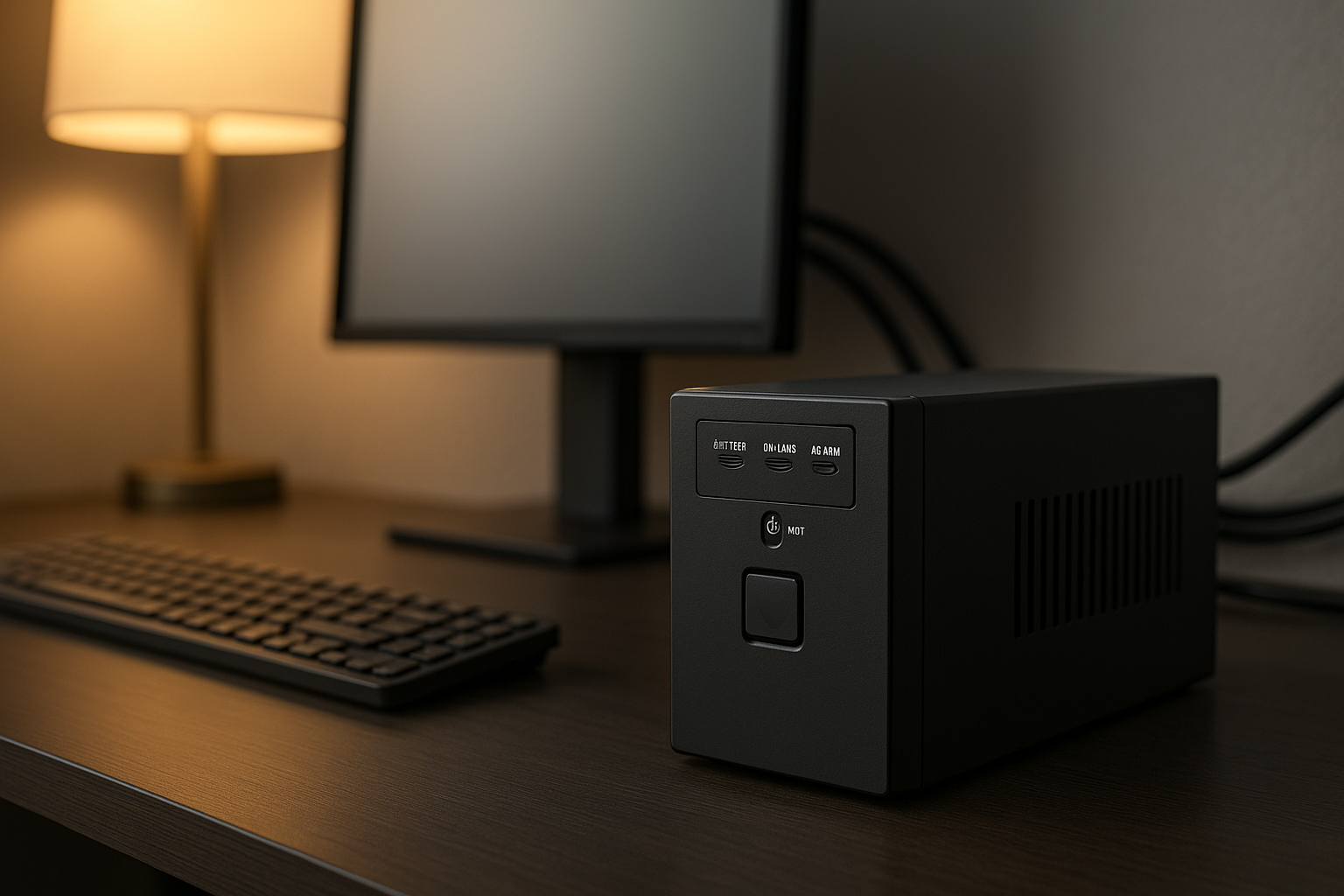
A traditional UPS plugs into your wall outlet and provides 4–12 battery-backed outlets. You plug your computer, monitor, router, and other critical gear into those outlets. The UPS displays remaining runtime and alarm status on an LED or LCD screen.
Pros: - Zero switchover delay—you won’t lose your connection or crash your work. - No software to install or configure (though some models offer USB monitoring). - Compact and desk-friendly. - Affordable entry point: budget models start.
Cons: - Limited runtime: most deliver 10–30 minutes of full office power before the battery depletes. - Designed for graceful shutdown, not extended work. - Smaller models have fewer outlets, forcing you to choose which devices to protect.
Best for: Users who need to save work, close applications, and shut down cleanly during a brief outage. Ideal if your area sees short, infrequent blackouts.
Per manufacturer spec sheets from APC and CyberPower, traditional UPS units in the 600–1500 VA range provide 10–25 minutes of runtime for a typical office (desktop computer, monitor, router, and desk lamp). Larger units offer proportionally longer runtimes.
Line-Interactive UPS: The Hybrid Sweet Spot
A line-interactive UPS sits between a traditional UPS and a portable power station. It monitors your wall voltage and switches to battery if voltage sags or disappears entirely. This design is quieter and more efficient than a true online UPS, and it’s the most common topology for home office backup.
Pros: - Near-instant switchover under 10 milliseconds per vendor specifications. - Better efficiency than online UPS—runs cooler, uses less energy. - More affordable than online systems. - Handles voltage sags without draining the battery.
Cons: - Still limited runtime (typically 15–40 minutes for a full office setup). - Larger models are heavier and take up more desk or floor space. - Battery replacement can be expensive after 3–5 years.
Line-interactive UPS units are the most popular choice for home offices because they balance cost, runtime, and reliability. Per manufacturer datasheets, a 1500 VA unit provides 20–30 minutes of working time before the battery depletes, enough to finish a call, save documents, and shut down gracefully.
Portable Power Stations: Extended Runtime and Flexibility
A portable power station is a large rechargeable battery with AC outlets, USB ports, and sometimes solar charging capability. Unlike a UPS, it doesn’t have automatic switchover—you must plug devices into it manually, or integrate it into your home office via a hybrid inverter system.
Pros: - Massive runtime: 8–24+ hours depending on capacity and load. - Portable—move it between rooms or take it camping. - Solar charging option lets you recharge during extended outages. - No battery replacement hassle; the whole unit is the battery. - Quiet operation (no fans on most models).
Cons: - No automatic switchover; you must manually plug devices in when power fails. - Larger and heavier than a traditional UPS. - More expensive than entry-level UPS systems. - Requires careful load management; a 3000Wh station powering a space heater and computer will deplete in 2–3 hours.
Best for: Remote workers in outage-prone areas, users who want to keep working through extended blackouts, and anyone who values portability and solar charging capability.
Per manufacturer specifications for EcoFlow, Jackery, and Bluetti models, a portable power station with 2000–3600Wh capacity can run a typical home office (laptop, monitor, router, desk lamp, phone charger) for 12–20 hours before depleting. Larger setups or power-hungry devices (monitors, space heaters, printers) reduce that window significantly.
Sizing Your UPS: Wattage and Runtime
Choosing the right UPS depends on two factors: wattage (how much power your devices draw simultaneously) and runtime (how long you need to work or shut down gracefully).
Estimating your load: - Laptop: 60–100W - Desktop computer: 200–400W - Monitor: 30–80W - WiFi router: 10–20W - Desk lamp: 10–15W - Phone charger: 5–10W
A typical home office with a laptop, monitor, and router draws 100–150W. A desktop setup with a gaming monitor or high-end graphics card might draw 300–500W.
Choosing UPS capacity: UPS systems are rated in VA (volt-amperes), which is roughly equivalent to watts for most office equipment. A 600 VA UPS can handle a laptop office. A 1500 VA UPS handles a full desktop setup with multiple monitors. Per manufacturer guidance, choose a UPS rated for at least 50% more than your peak load to avoid overheating and to maximize runtime.
Runtime expectations: Per manufacturer spec sheets from APC and CyberPower: - 600 VA UPS powering a 150W load: ~40 minutes - 1500 VA UPS powering a 300W load: ~25 minutes - 3000 VA UPS powering a 500W load: ~20 minutes
These are conservative estimates. Actual runtime depends on battery age, temperature, and the UPS’s efficiency curve. For extended runtime (4+ hours), a portable power station is the better choice.
Key Features to Compare
Switchover time: Look for under 10 milliseconds for line-interactive models per vendor specifications. Online UPS systems have zero switchover time but cost more.
Outlets and ports: Count how many devices you need to protect. Traditional UPS units offer 4–12 outlets; portable stations offer 2–4 AC outlets plus multiple USB ports. Make sure the UPS has enough outlets or USB ports to avoid daisy-chaining power strips (which defeats surge protection).
Display and monitoring: An LCD screen shows remaining runtime, battery percentage, and load percentage in real time. Some UPS systems offer USB or network monitoring so you can track status from your computer.
Battery type: Most UPS systems use sealed lead-acid (SLA) batteries, which are reliable and inexpensive but require replacement every 3–5 years. Portable power stations use lithium-ion batteries, which last 8–10 years and are lighter, but cost more upfront.
Surge protection and outlets: A good UPS includes surge suppression on all outlets to protect against voltage spikes. Some models offer coaxial or phone-line protection for modems and landlines. Verify that the surge protection rating is at least 400 joules for home office use.
Noise level: Traditional and line-interactive UPS systems are silent until the battery depletes, at which point a loud alarm sounds. Portable power stations are also quiet. If noise matters, avoid online UPS systems, which have cooling fans that run continuously.
UPS vs. Portable Power Station vs. Home Backup Generator
UPS systems excel at instant switchover and graceful shutdown. They’re ideal if your outages are brief and you just need time to save work and shut down.
Portable power stations provide extended runtime and portability. They’re better if you want to keep working through long outages or if you live in an outage-prone area.
Home backup generators (gas or propane) offer unlimited runtime but require outdoor space, fuel storage, and regular maintenance. They’re overkill for a home office but worth considering if you need to back up your whole house.
For most home office users, a combination approach works best: a traditional or line-interactive UPS for instant switchover and graceful shutdown, plus a portable power station for extended outages.
Installation and Maintenance
Traditional and line-interactive UPS: 1. Plug the UPS into a wall outlet. 2. Plug your critical devices into the UPS outlets (not into a power strip plugged into the UPS). 3. If the UPS has a USB port, connect it to your computer to enable automatic shutdown when the battery is low. 4. Test the battery by unplugging the UPS from the wall and verifying that devices stay powered.
Most UPS systems require no ongoing maintenance. Replace the battery every 3–5 years, or when the runtime drops noticeably. Per manufacturer guidance, store the UPS in a cool, dry location and avoid exposing it to extreme heat or cold.
Portable power stations: 1. Charge the station fully before relying on it for backup. 2. Plug devices into the AC outlets or USB ports as needed. 3. Monitor the battery percentage on the LCD display. 4. Recharge via wall outlet, solar panels, or a car charger.
Portable stations require minimal maintenance. Keep the battery topped up to 80–90% for long-term storage to extend battery lifespan.
FAQ
Q: Can I plug a UPS into a power strip? A: No. Plugging a UPS into a power strip defeats the surge protection and can create a fire hazard if the power strip trips while the UPS is in use. Always plug the UPS directly into a wall outlet.
Q: What’s the difference between VA and watts? A: VA (volt-amperes) and watts are nearly equivalent for most office equipment. UPS systems are rated in VA because that’s the industry standard. For your purposes, treat 600 VA as roughly 600 watts of capacity. The actual wattage available depends on the power factor of your devices, but for home office gear, the difference is negligible.
Q: How often do I need to replace the battery in a UPS? A: Most UPS batteries last 3–5 years under normal use. You’ll notice the runtime dropping gradually before the battery fully fails. Replacement batteries vary in cost depending on the UPS model; expect for standard SLA batteries. Portable power stations have built-in lithium-ion batteries that last 8–10 years and can’t be replaced separately—you replace the whole unit.
Q: Can I plug a space heater or microwave into a UPS? A: Not safely. Space heaters and microwaves draw 1000–2000W and will overload most home office UPS systems (which are rated 600–1500 VA). If you plug a high-draw device into a UPS, the unit will alarm and may shut down to protect the battery from damage. Stick to computers, monitors, routers, and other low-draw office equipment.
Q: Can I use a portable power station as a UPS? A: Not automatically. A portable station doesn’t have automatic switchover, so your devices will lose power the moment the wall outlet fails. However, you can integrate a portable station into your home office wiring using a hybrid inverter or UPS that supports external battery packs. For manual backup, a portable station is excellent—just plug devices into it when the power goes out.
Top Picks by Scenario
Best for instant switchover on a budget:
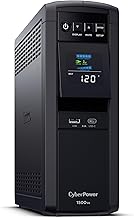
A line-interactive UPS with 1500 VA capacity, LCD display, and 12 outlets. Per owner reviews and manufacturer specs, this model delivers 20–30 minutes of runtime for a full office setup and switches over in under 5 milliseconds. The price is mid-range, making it a solid entry point for users who want reliable backup without breaking the bank.
Best for longer runtime and expandability: EcoFlow Delta Pro
A hybrid portable power station with 3600Wh capacity, modular battery expansion, and dual 3000W AC outlets. Per manufacturer specs, this unit can run a full office for 8–12 hours on a single charge and supports solar charging for extended outages. The expandable design lets you add extra batteries later as your needs grow.
Best for small desks and tight spaces: APC Back-UPS 650VA
A compact tower-form UPS with 650 VA capacity and 8 outlets, designed to fit under desks or in tight spaces. Per manufacturer specifications, this delivers 30–45 minutes of runtime for a laptop-based office and has zero switchover time. It’s one of the most popular entry-level UPS systems for home offices.
Best for multi-device protection with surge suppression:
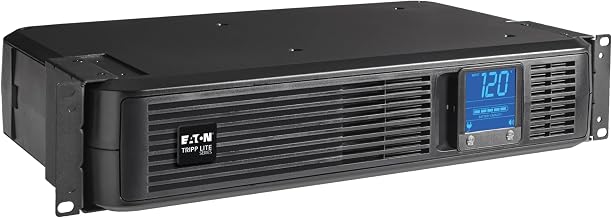
A 1500 VA line-interactive UPS with 12 outlets, LCD display, and comprehensive surge protection (1440 joules per manufacturer spec). This model is popular among users who need to protect multiple devices and want detailed runtime and load monitoring. Per owner reviews, it handles desktop setups with multiple monitors reliably.
Best for remote workers in outage-prone areas: Jackery Explorer 2000 Pro
A portable power station with 2160Wh capacity, dual 2000W AC outlets, and solar charging support. Per manufacturer specifications, this unit delivers 12–16 hours of runtime for a full office setup (laptop, monitor, router, desk lamp) and can be recharged via solar panels during extended outages. The portability makes it ideal for users who want backup power across multiple rooms or locations.


