Apartment Power Backup: Renter-Friendly Solutions in 2026

Photo by Zendure Power Station on Unsplash
Apartment Power Backup: Renter-Friendly Solutions in 2026
A 2024 blackout in Texas left renters without Wi-Fi for 18 hours, unable to work from home or contact family. A portable power station prevents that: it sits in your apartment, plugs into a standard outlet to charge, and runs your devices during an outage—no installation, no landlord drama, no permanent footprint.
This guide walks you through how to pick one that actually fits apartment life, what wattage you really need, and which models won’t annoy your neighbors or blow your budget.
Why Apartments Need Portable Power Backup
Apartment dwellers depend entirely on grid power. A blackout means no lights, no Wi-Fi, no way to charge your phone—and if you work from home, a lost day of income. Unlike homeowners who can install a whole-house battery or generator, renters need something that:
- Requires zero installation. No drilling, no permits, no landlord sign-off.
- Moves with you. When your lease ends, it goes to your next place.
- Operates silently. Shared walls mean your neighbors will hear a gas generator; they won’t hear a battery.
- Fits the space. Studio and one-bedroom apartments aren’t sprawling. Your backup can’t take up a closet.
A portable power station checks all four boxes. It’s a self-contained battery with built-in outlets, USB ports, and charging circuitry. Plug it in to recharge, then unplug and move it to wherever you need power during an outage.
How Much Capacity Do You Actually Need?
This is where most renters overestimate. You don’t need to run your entire apartment for three days. You need to keep critical devices alive for 12–24 hours until power returns or until you can charge at a friend’s place or a coffee shop.
Typical apartment loads:
- Phone + laptop: 100–200 Wh (watt-hours) per full charge cycle. A 300 Wh station covers both overnight.
- Phone + laptop + Wi-Fi router: Add 50 Wh for the router running 12 hours. Budget 400–500 Wh.
- Phone + laptop + router + small desk lamp: ~600 Wh.
- Phone + laptop + router + lamp + mini-fridge: Jump to 1,000–1,500 Wh (a mini-fridge draws 150–200W, so runtime shrinks fast).
Most apartment renters fall into the 400–1,000 Wh sweet spot. Anything under 400 Wh is phone-and-laptop territory; anything over 2,000 Wh is overkill unless you’re running a full-size fridge or space heater (which you shouldn’t do with a portable station—the runtime becomes measured in hours, not days).
For deeper guidance on sizing, see Portable Power Station Buying Guide: Capacity, Ports & Runtime Explained.
Key Features for Apartment Living
Silent Operation
Portable power stations are silent—that’s the killer advantage over gas generators. But not all are equally quiet. Some models have cooling fans that kick in under heavy load. If you’re running a laptop and charging phones, the fan won’t activate. If you’re running a space heater, it will.
What to look for: Models with “fanless operation under X watts” or “passive cooling” in the manufacturer specs. EcoFlow and Bluetti publish fan-activation thresholds in their technical documentation.
Compact Footprint
A portable power station should fit under a desk, on a shelf, or in a closet. Anything over 50 pounds becomes a pain to move; anything larger than a carry-on suitcase takes up floor space you don’t have.
Mid-size stations (300–1,500 Wh) typically weigh 7–35 pounds and measure 10–16 inches on the longest side. Larger units (2,000+ Wh) jump to 40–60+ pounds—fine if you’re not moving it often, but annoying in an apartment where you might relocate it seasonally or when you move out.
Fast Recharge Time
If your station dies, how long until it’s ready again? A 1,000 Wh station plugged into a standard 120V outlet recharges in 8–12 hours per manufacturer specs. Some models offer 240V recharging (if your apartment has a dryer outlet) or solar input, cutting that to 4–6 hours.
For apartments, standard 120V recharge is the baseline. Anything faster is a bonus, but don’t overpay for it unless you’re cycling the station daily.
Multiple Output Types
Ensure the station has:
- AC outlets (at least two): for laptop chargers, desk lamps, phone chargers.
- USB-A ports: for older phone cables, portable chargers.
- USB-C ports: for modern phones, tablets, and laptops.
- Optional: 12V car outlet for portable air compressors or car chargers.
Most mid-range stations nail this. Budget models sometimes skimp on USB-C; premium models add wireless charging pads or extra outlets.
Top Picks for Apartment Renters
Best for Renters in Tight Spaces
The River 2 Pro hits the apartment sweet spot: 768 Wh capacity, 7.6 pounds, and roughly 10” × 7” in footprint—the size of a toaster. It charges a laptop and phone twice over, runs a Wi-Fi router for 24+ hours, and fits on a nightstand. Per EcoFlow specs, it recharges in 1.6 hours via 240V (if you have access to one) or 7 hours via standard 120V outlet. It’s fanless under 600W load, so it won’t annoy neighbors. The trade-off: you can’t run a space heater or full-size mini-fridge. But for phones, laptops, and routers—the core apartment needs—it’s ideal.
Best for Keeping Essentials Alive During Outages
The AC500 is a modular system: a 5,000W inverter paired with stackable 3,072 Wh battery modules. Buy one module for 3 kWh, or add more later as your needs grow. This is the renter’s hedge against “I don’t know what I’ll need.” Start with one battery and a compact AC500 unit, then add capacity if outages hit harder or your lifestyle changes. Per Bluetti’s published specs, you can run a mini-fridge, charge devices, and power lights for 24+ hours on a single module. The modular design also means you can leave the inverter at your current place and take just the battery if you move.
Best for Apartment Dwellers on a Budget
The 757 delivers 1,229 Wh for a mid-tier price point. At 27.6 pounds per Anker’s specs, it’s heavier than the EcoFlow River but still portable. It covers phone + laptop + router + a small lamp for a full day, and it recharges in 2 hours via 240V or 10 hours via 120V. Anker’s build quality is solid; the 757 shows consistent 4.5+ star ratings on Amazon with owners noting reliable operation over 2+ years of daily use.
Best for Frequent Device Charging Only
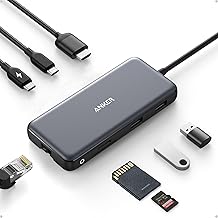
If you’re only charging phones and a laptop, the 555’s 768 Wh capacity is plenty. At mid-tier pricing and 6.6 pounds per Anker specs, it’s the lightest option here. Trade-offs: no 240V recharge option, and the AC outlet is single-phase (one outlet instead of two). But for a renter who wants basic backup without the weight or cost of larger units, it’s a no-brainer.
Best for Silent Operation (No Noise Complaints)
The Delta 2 has a fanless design under 1,000W load per EcoFlow’s published specifications. At 1,024 Wh, it covers a full apartment setup (phones, laptop, router, lamp) for 12–18 hours. It’s 7.7 pounds and fits on a shelf. The downside: premium pricing. But if you live in a noise-sensitive building or share thin walls, the silence is worth it.
Charging Your Station in an Apartment
Most renters charge via a standard 120V outlet, which takes 8–12 hours for a mid-size station. If your apartment has a 240V outlet (laundry room, garage, or kitchen range outlet—ask your landlord), some models support 240V input and recharge in 2–4 hours. Not all landlords allow access to 240V outlets, so don’t count on it.
Solar charging is an option if you have a balcony or window with south-facing sun. A 200W solar panel array can trickle-charge a station during the day, but it’s slow (adding 50–100 Wh per hour in good sun). It’s a supplement, not a primary charge method for apartments.
What Wattage Inverter Do You Need?
The inverter is the part that converts the battery’s DC power to AC power for your outlets. A higher wattage inverter lets you run more power-hungry devices simultaneously.
- 300–500W: Phones, laptops, Wi-Fi routers, small lamps. Good for most apartments.
- 500–1,500W: Add a mini-fridge, microwave, or space heater (though space heaters drain batteries fast).
- 1,500W+: Full kitchen appliances, air conditioners, or multiple high-draw devices at once.
For apartment use, 500–1,000W is the practical range. Anything over 1,500W is overkill unless you’re running a full-size fridge, which will drain your battery in 4–8 hours anyway.
All five recommendations above fall into the 500–1,000W range, which is why they’re apartment-friendly.
Battery Lifespan and Warranty
Portable power stations use lithium-ion batteries, which degrade over time. Most manufacturers spec 500–1,000 charge cycles before capacity drops to 80%. That translates to 1–3 years of daily use, or 3–10 years if you charge a few times per month, per manufacturer specifications.
Warranties typically cover 2–5 years. EcoFlow and Bluetti lead with 5-year warranties; Anker and Jackery offer 2–3 years per their published warranty terms. Check the warranty before buying—it’s your safety net if the battery fails early.
For deeper details on lifespan, see Portable Power Station Lifespan: Battery Degradation & Warranty Guide.
Apartment-Specific Considerations
Landlord Approval
You don’t need it. A portable power station is furniture—it plugs into an outlet like a lamp. It requires no installation, no rewiring, and no structural changes. Some leases restrict “hazardous materials”; lithium-ion batteries are not hazardous in normal use. If your landlord asks, you can point to the UL certification (all reputable brands have it) and the fact that it’s no different from charging a laptop.
Heat and Ventilation
Portable stations generate minimal heat during normal use. They have internal cooling and ventilation, so you don’t need to place them in a special spot. Avoid sealed closets or direct sunlight, but a shelf, corner, or under-desk location is fine.
Fire Safety
Lithium-ion batteries have an extremely low failure rate. Modern stations have multiple safety circuits to prevent overcharge, short circuits, and thermal runaway. As long as you buy from a reputable brand (EcoFlow, Bluetti, Anker, Jackery), you’re safe. Avoid no-name brands on Amazon.
FAQ
Q: Can I run my apartment AC on a portable power station? A: No. A typical window AC unit draws 1,200–1,500W continuously, which would drain even a large portable station in 2–4 hours. It’s not practical. Fans, space heaters, and microwaves are also heavy draws. Stick to lights, devices, and routers.
Q: Will my landlord charge me for the outlet it uses? A: No. Landlords can’t charge you for standard outlet use. If they claim they can, check your local tenant rights—most jurisdictions prohibit it.
Q: Can I take my power station when I move? A: Yes. It’s your property. Pack it like any other appliance. Just ensure it’s charged before transport (most airlines restrict shipping lithium batteries, but driving with a portable station is fine).
Q: How often should I charge it if I’m not using it? A: Lithium-ion batteries self-discharge slowly. Recharge every 3–6 months if you’re storing it long-term. Manufacturers recommend keeping it at 30–80% charge for storage to maximize lifespan per their published guidelines.
Q: What’s the difference between a portable power station and a UPS? A: A UPS (uninterruptible power supply) switches to battery instantly during an outage, with zero downtime. A portable station requires you to manually switch devices or unplug them from the wall and plug into the station. For apartments, a UPS is better for critical devices like a home office setup or a router. See Best UPS Systems for Home Office in 2026 for details.
Final Thoughts
A portable power station is the renter’s answer to power outages. It requires no landlord approval, no installation, and no permanent footprint. Pick one sized to your actual load (phone, laptop, and router for most renters = 500–1,000 Wh), ensure it’s fanless or quiet under typical loads, and you’ve got 12–24 hours of backup ready to go.
Start with one of the five recommendations above, depending on your budget and space constraints. When you move, take it with you. When your needs grow, upgrade or add a modular battery. Apartment power backup doesn’t have to be complicated.


