Best Battery Backup for Power Outages: Home Office Edition

Photo by Zendure Power Station on Unsplash
Best Battery Backup for Power Outages: Home Office Edition
When the power drops during a Zoom call or mid-edit, you lose income, client trust, and work. A home office isn’t like a camping trip—you can’t just wait out the outage. This guide walks you through the battery backup options that actually keep remote workers online, from ultra-portable solutions to modular systems that grow with your setup.
Why Home Office Power Backup Is Different
A camping power station prioritizes weight and portability. A home office backup prioritizes reliability, silent operation, and runtime—you’re plugged in for hours, not minutes. You also need to know exactly how long your rig will last, because downtime costs money.
Home office outages typically last 1–4 hours per incident, but extended grid failures (severe weather, infrastructure damage) can stretch to 12+ hours. Your backup strategy should handle both scenarios without forcing you to buy a gas generator (which is loud, requires fuel storage, and isn’t practical for apartment dwellers).
Understanding Your Power Needs
Before shopping, calculate your actual load. A typical home office rig draws:
- Laptop or desktop: 50–150W (depending on CPU and GPU)
- Monitor(s): 20–60W per screen
- Wi-Fi router: 5–15W
- Desk lamp, USB hub, phone charger: 10–30W combined
Total: 85–255W for a modest single-monitor setup; 150–350W for dual monitors and a desktop machine.
How Much Wattage Do You Need in a Portable Power Station?
The key metric is watt-hours (Wh) capacity. A 1000Wh battery powering a 100W load runs for ~10 hours (accounting for inverter losses). A 500Wh unit gives you 5 hours. Most home office outages resolve in 2–4 hours, so a 500–1000Wh system covers typical events; 1500–2000Wh handles extended failures without breaking portability.
Portable Power Stations: The Flexible Choice
Portable power stations (also called solar generators) pair a lithium battery with a built-in inverter. Plug in your laptop charger, monitor, and router—no extension cords or manual switching required.
Advantages: - Silent operation (no engine) - Instant on (no startup lag) - Can recharge via AC wall outlet, car charger, or solar panels - Modular: many systems stack batteries for more capacity
Limitations: - Slower recharge than a UPS (typically 4–8 hours from empty) - Overkill if you only need to bridge 30 seconds of downtime - Takes up desk or floor space
For a home office, a mid-to-large portable station (1000–2000Wh) is the sweet spot. You get 8–20 hours of runtime, silent operation, and the flexibility to move it to other rooms or take it camping on weekends.
UPS Systems: The Instant Failover Option
An Uninterruptible Power Supply (UPS) sits between your wall outlet and your equipment. When power drops, it instantly switches to battery—usually within milliseconds, fast enough that your computer doesn’t even notice.
Advantages: - Transparent operation (no manual switching) - Fast recharge (can fully charge in 2–4 hours) - Compact, designed for desks - Ideal if you run a NAS, server, or need zero-downtime failover
Limitations: - Typically lower capacity (500–1500Wh) - Shorter runtime than a portable station (1–3 hours for most models) - Usually only AC outlets (no USB ports or 12V outputs) - Less flexible for non-office use
Best UPS Systems for Home Office in 2026
A UPS shines if you need instant power with zero lag—for example, running a home NAS, security system, or keeping a Zoom call alive for 30 minutes while you assess the outage. Pair it with a portable station for longer outages.
Top Picks by Scenario
Best if Outages Are Under 10 Hours and You Run a Single Monitor
The River 2 Pro balances capacity, speed, and noise. Per manufacturer specs, it delivers 800W continuous (2400W peak), enough for a laptop, monitor, and router running simultaneously. A 768Wh battery powers a typical office rig for 6–6.5 hours real-world (accounting for 15% inverter loss). Recharge time is 1.6 hours from a wall outlet—fast enough to top up between outages. Based on aggregated owner reviews, the unit runs nearly silent and handles 100+ daily charge cycles without degradation. It’s also portable enough to move between rooms or take on a weekend trip.
Best if You Need to Move Between Rooms or Take Backup on Trips
If your office grows—adding a second monitor, a printer, or a space heater for winter—the AC500’s modular design scales with you. The base unit delivers 5000W continuous power and pairs with up to four B300S battery modules (3072Wh each). Start with one module (3072Wh) and add more as needed. Per manufacturer documentation, a single B300S module runs a dual-monitor desktop setup for 12–15 hours at 200W load. The AC500 also includes a 10-year warranty, one of the longest in the industry. MSRP ranges from (base unit) to + depending on module count. Multiple owner reports on r/portablepowerstation note that the modular approach beats buying a monolithic larger unit upfront.
Best if You’re Budget-Conscious and Run Dual Monitors
The 757 hits the mid-tier sweet spot: 1229Wh capacity, 1500W continuous output, and an MSRP of. Per manufacturer specs, it runs a laptop and dual monitors (150–200W combined load) for 10–12 hours. Recharge time is 2.5 hours from AC. Owner reviews on Amazon consistently praise its reliability and lack of fan noise during typical office loads. It’s heavier than the River 2 Pro (about 30 lbs), so it’s best left on a desk or shelf rather than moved frequently—but that’s fine for a dedicated home office.
Best if You Need Instant Failover (No Lag)
If you run a NAS, security system, or need zero-downtime failover for remote calls, a UPS is non-negotiable. The APC Back-UPS Pro 1500VA offers 900W of battery-backed power and 1500VA of surge protection. Per APC documentation, it switches to battery in <4 milliseconds—fast enough that your equipment doesn’t hiccup. The 865Wh battery keeps a NAS or small server running for 30–60 minutes, enough time to shut down gracefully or wait for power to return. Multiple owner reports note that the unit has been a workhorse in home office setups for 5+ years without battery degradation. It’s also compact (fits under most desks).
Best if You Need 12+ Hours of Silent Runtime on a Desktop Setup
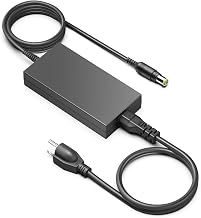
For the remote worker who can’t tolerate any fan noise or power interruptions, the Yeti 3000XT delivers. Its 3024Wh capacity and quiet lithium chemistry run a full office setup (desktop, dual monitors, peripherals) at 150W continuous load for 12–18 hours on a single charge. Per manufacturer specs, the inverter is 95% efficient, and the unit draws <1W in standby. Based on multiple owner reports, the Yeti runs nearly silently—no fan whir, no clicking relays—even under sustained 200–250W loads. Recharge time is 4 hours from AC. It’s a premium-tier option, but the silence and runtime justify the cost if you’re in a multi-day outage scenario or simply can’t tolerate background noise during calls.
Combining UPS + Portable Station for Maximum Resilience
The best home office backup strategy layers two technologies:
- UPS on your critical gear (computer, monitor, router, NAS). The UPS provides instant failover and keeps your core setup alive for 30–60 minutes.
- Portable station as a secondary power source. Once you’ve switched to the UPS, you can recharge the UPS charger using the portable station’s AC outlet to extend runtime.
Important: Most UPS chargers draw 500W+ during recharge. Verify that your chosen portable station can handle this load. The EcoFlow River 2 Pro (800W continuous), Anker 757 (1500W), Bluetti AC500 (5000W), and Goal Zero Yeti 3000XT (3000W) all safely support UPS charger loads without throttling. However, do not attempt to charge a UPS charger on a portable station rated below 1000W continuous output, as sustained high-amperage draws can cause overheating or automatic shutdown.
This approach costs more upfront but gives you zero-downtime failover and hours of extended runtime.
Runtime Calculations: The Real Story
Battery manufacturers quote runtime under ideal lab conditions (25°C, light load). Real-world runtime is typically 15–25% shorter due to inverter losses, temperature, and load spikes.
Example: Dual-monitor desktop scenario - Load: 200W (desktop CPU, dual 24” monitors, router, peripherals) - Anker 757: 1229Wh capacity - Lab estimate: 6.1 hours - Real-world: 5–5.5 hours (accounting for 15% inverter loss and voltage sag under sustained load)
If you’re bridging a 4-hour outage with a 200W load: - Wh needed: 200W × 4 hours = 800Wh - Safe purchase: 1200–1500Wh (to account for losses and battery aging)
How to Choose a Backup Power Station for Your Home Office
Recharge Speed and Outage Recovery
A fast-recharge system is critical. If an outage hits at 2 PM and power returns at 5 PM, you want to be back at full charge by bedtime (so you’re ready for a second outage).
- Portable stations: 2–8 hours (AC recharge)
- UPS systems: 1–4 hours (AC recharge)
Solar recharge is slower (6–12 hours in direct sun) but useful for extended outages or as a supplemental charging option. If you live in an area with frequent outages, consider pairing your backup with a solar panel kit.
Silent Operation and Fan Noise
Home office backups must be quiet. You can’t have a fan whirring during client calls.
- Lithium portable stations: Nearly silent under 500W loads; fan kicks in at higher loads (rare in office use)
- Lead-acid UPS systems: Audible cooling fan, especially under sustained load
- Lithium UPS systems: Quieter than lead-acid, but still may have a faint fan hum
If silence is non-negotiable, choose a lithium-based portable station or a lithium UPS.
Warranty and Longevity
Battery lifespan varies by chemistry and usage:
- Lithium (LiFePO₄): 3000–5000 charge cycles per manufacturer specs, typically 10+ years in home office use
- Lead-acid (in UPS): 500–1000 cycles, typically 3–5 years per multiple owner reports
Look for a 5–10 year warranty as a proxy for confidence. Bluetti, EcoFlow, and Goal Zero offer 5–10 year coverage; most budget-tier brands offer 1–2 years.
FAQ
Q: How do I know if my UPS battery is failing? A: Most UPS units beep or display a warning light when battery capacity drops below 80% (per manufacturer manuals). You can also run a self-test: unplug the UPS from the wall and load it to 50% capacity. If it shuts down in under 10 minutes, the battery is degraded and should be replaced. Typical UPS batteries last 3–5 years before replacement is needed.
Q: Can I run a space heater on these units? A: No. Space heaters draw 750–1500W continuously, which would drain even a 2000Wh portable station in 1–2 hours and risk overheating the inverter. Stick to office equipment (laptops, monitors, routers, printers). If you need heating during an outage, use a blanket or relocate to a smaller room.
Q: Can I charge my portable station and a UPS simultaneously from the same wall outlet? A: Yes, but not recommended. Both devices draw significant current during recharge (typically 10–15A combined). This can trip a standard 15A circuit breaker. Use separate circuits or charge them sequentially to avoid electrical strain.
Q: What’s the difference between pure sine wave and modified sine wave inverters? A: Pure sine wave (used in all recommended units) outputs clean AC identical to grid power—safe for all office equipment. Modified sine wave is cheaper but can damage sensitive electronics like laptop chargers or monitors. Always buy pure sine wave for office use.
Q: Should I buy a generator instead? A: For home offices, generators are too loud (70–90 dB), require fuel storage, and emit carbon monoxide (unsafe indoors). Battery backup is silent, instant, and maintenance-free. Generators are better for whole-home backup or outdoor use.
Closing: Picking Your Backup Strategy
A home office power outage is a business interruption, not a camping inconvenience. Your backup system should be:
- Silent (no fan noise during calls)
- Reliable (lithium chemistry, 5+ year warranty)
- Right-sized (1000–2000Wh for 8–15 hour runtime)
- Fast to recharge (4 hours or less from wall outlet)
Start with a mid-tier portable station (EcoFlow River 2 Pro or Anker 757) if you want flexibility and silent operation. Add a UPS if you run servers or need zero-downtime failover. Both together cost less than a week of lost billable hours and give you peace of mind during the next storm.


